Why Online Security and Privacy Matter
Online security is no longer optional; it’s essential for protecting your personal data, financial information, and digital identity. Every day, cyber threats like phishing attacks, malware, and data breaches put users at risk. Taking proactive measures, even simple ones, can significantly reduce the chances of your information being stolen or misused. By learning and implementing basic security practices—such as using strong passwords, enabling two-factor authentication, and securing your devices—you can protect yourself from potential threats. Maintaining awareness of online risks and acting consistently helps keep your digital life safe and ensures peace of mind while browsing, shopping, or communicating online.
1. Use Strong and Unique Passwords
Create long, complex passwords using a mix of uppercase, lowercase, numbers, and special characters. Avoid repeating passwords across different accounts to keep your data secure.
2. Enable Two-Factor Authentication (2FA)
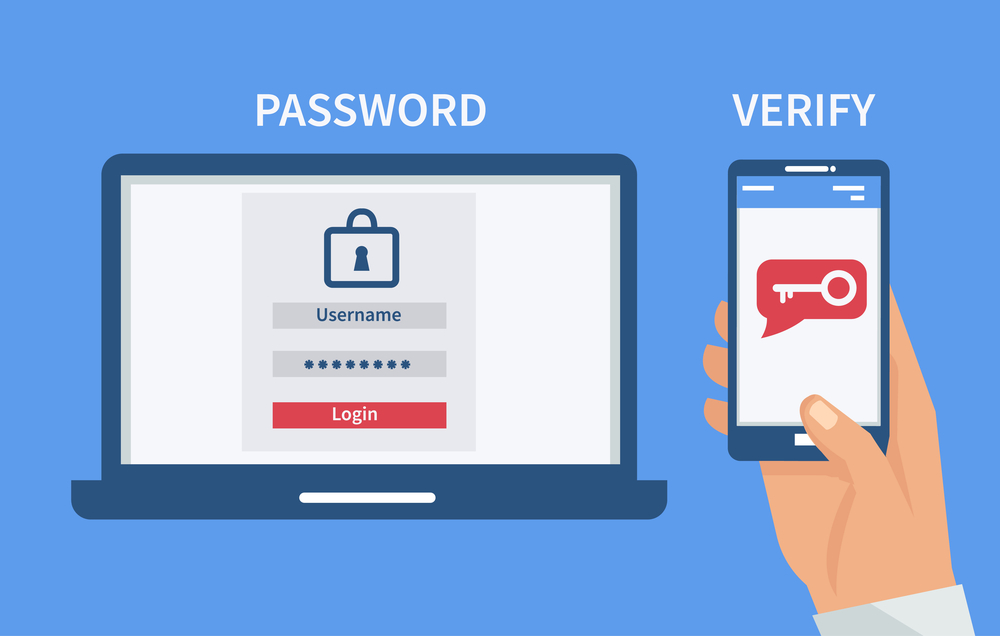
Adding 2FA adds an extra layer of protection. Even if your password is compromised, unauthorized users won’t be able to access your account without the second verification step.
3. Keep Software Up to Date
Regularly update your operating system, apps, and antivirus software. Updates patch security vulnerabilities and protect against the latest online threats.
4. Use a VPN on Public Networks
Public Wi-Fi can be risky. A VPN encrypts your internet traffic, ensuring hackers cannot intercept your sensitive data while browsing on public networks.
5. Manage Social Media Privacy
Review your privacy settings regularly and limit what personal information you share publicly. This helps protect your identity and prevents misuse of your data.
6. Avoid Phishing Scams
Be cautious with emails or messages containing suspicious links or attachments. Always verify the sender before providing personal information to prevent falling victim to phishing attacks.
7. Use Encrypted Messaging Apps
Switch to messaging platforms that offer end-to-end encryption. This ensures that your conversations remain private and secure from any third-party interception.
8. Limit Data Sharing with Apps
Check app permissions on your devices carefully. Only grant access to the information that is essential for the app to work, reducing the risk of unnecessary data exposure.
9. Use Secure Browsers and Search Engines
Choose browsers that prioritize privacy and search engines that don’t track your activities. This keeps your online behavior private and secure.
10. Regularly Backup Your Data
Keep your files safe by backing them up to external drives or encrypted cloud storage. Regular backups protect you from data loss due to hacks, malware, or device failures.
Smart Strategies to Protect Your Digital Life
Staying safe online is about developing smart digital habits. Here are actionable steps you can take:
- Minimize personal information online: Limit the data you share on social media, shopping sites, and other platforms.
- Use separate email addresses: Have one email for financial accounts and another for newsletters or social media to reduce exposure.
- Monitor your accounts regularly: Check for unusual activity and review security settings to ensure nothing has changed without your knowledge.
- Install security-focused browser extensions: Block trackers, ads, and malicious scripts while enhancing browsing privacy.
- Secure your devices: Enable encryption and strong screen locks; never leave sensitive information unprotected on shared devices.
- Be cautious with public Wi-Fi: Avoid logging into sensitive accounts without encryption or a VPN.
- Stay informed about cyber threats: Learn to recognize phishing scams, malware, and apps disguised as legitimate software.
- Combine habits with basic security measures: Using these strategies alongside strong passwords, 2FA, and updated software builds a robust digital defense.
Implementing these habits consistently helps you maintain control over your personal data and protect your online presence in an ever-evolving digital world.
FAQ
Why is online privacy important?
Protecting your online privacy helps prevent identity theft, financial loss, and misuse of your personal information.
How can I improve my privacy immediately?
Start by using strong, unique passwords and enabling two-factor authentication on all important accounts.
Do VPNs provide complete security?
No, but they significantly reduce risks when using public networks and ensure that your data is encrypted.